
Make a video with Claude Code and HyperFrames: one real run, step by step
Updated on
This guide shows how a Claude Code video gets made, using one real run. On 2026-10-23 we asked Claude Code, running Claude Opus 5.5, to make a 30-second narrated explainer with HyperFrames. Below is every step, the errors it hit and how long each one took.
The video we made
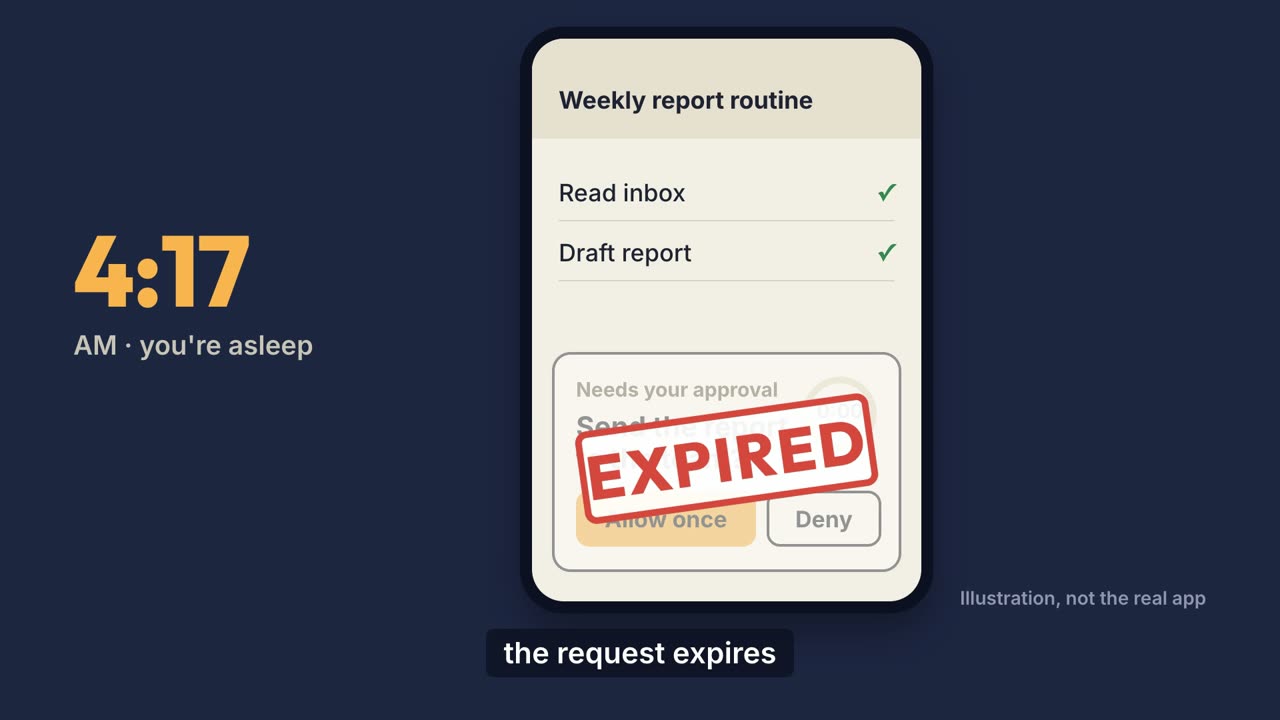
Why a Grok Bot routine can run and do nothing · 30.6 s, 1920×1080, made in the run below. The app screens are illustrations, not the real Grok Bot app.
The topic is one fact from xAI's docs: when a routine started without you needs your approval, the request expires after about 10 minutes and that step does not run (approvals and privacy). We picked it because it is small, true and easy to check, and it ties to our Grok Bot routines guide.
What we ran it on
| Machine | Mac mini, Apple M6, 16 GB, macOS 27.0.1 |
|---|---|
| Agent | Claude Code 2.1.295, model claude-opus-5-5, effort high |
| Renderer | HyperFrames CLI 0.8.188, Node.js 22.23.3, FFmpeg 9.0.2 |
| Voice | edge-tts, en-US-AndrewNeural at -5% speed |
| Music | "Deep Urban" from Mixkit, free license |
Claude Code's opus alias and its default model on Pro, Max, Team, Enterprise and the API both point to Opus 5.5, which needs Claude Code 2.1.280 or later (model configuration). Run claude update if yours is older.
Step by step
Install the HyperFrames skills
Give Claude Code the HyperFrames skills, either as the official plugin or with the HyperFrames CLI. You need Node.js 22 or later and FFmpeg. The skills are what teach it the HyperFrames rules. The official README gives the plugin route:
claude plugin marketplace add heygen-com/hyperframes
claude plugin install hyperframes@hyperframes
We refreshed ours with the CLI instead, which took 38 seconds:
npx hyperframes@0.8.188 skills update
One thing to know: in 0.8.188 the separate skills (core, animation, creative, audio, keyframes, studio, general-video) were folded into one hyperframes skill, and the update removed the old ones. If you have your own workflow that calls those old skill names, back them up first. We restored ours from a copy.
Scaffold a project
Run the init command below to create a blank 1920 by 1080 project with the rules file for the agent.
HYPERFRAMES_SKIP_SKILLS=1 npx hyperframes@0.8.188 init my-video \
  --example blank --resolution landscape --non-interactive
This took 2 seconds. init also syncs skills from GitHub; the environment variable turns that off so it does not undo the step above.
Write the brief and the script
Tell the agent the one thing the video must say, the source it comes from, the length and the format. We gave Claude Code one sentence of intent, the source URL, about 30 seconds, 16:9, and "no questions". Following the skill, it wrote:
BRIEF.md: the one message, the format and the facts it may use;STORYLINES.md: three different films, with a pick (one night: a clock, a phone, a morning) and the two it did not build;SPEC.md: colours, fonts, sizes and every shot's timing as numbers;script.json: 63 words in four scenes.
Add voice and music
HyperFrames does not need a voice. We used edge-tts through our own small script, which also saved each word's start and end time. The four clips took 11 seconds and came to 5.6, 5.8, 5.6 and 8.3 seconds. The word times drive both the captions and the moment each thing appears on screen.
The music bed is a 30-second cut of a Mixkit track at a low level under the voice.
Build the scenes
Claude wrote one HTML file per scene, plus one for the captions:
night.html: a bedside clock flips from 3:59 to 4:00 and the phone lights up;ask.html: an approval card rises and a 10-minute ring starts;expire.html: the ring runs out and an EXPIRED stamp lands;morning.html: the schedule moves to 9:00 AM and the last step switches to Draft only.
Each scene builds one paused GSAP timeline, and HyperFrames seeks it frame by frame, so every render comes out the same.
Run check until it passes
Run the checker and fix what it reports until it passes.
npx hyperframes check --json
The first run failed. What it found, and what we changed:
- Overlapping audio. The four voice clips had no
data-duration, so each was assumed to run to the end of the video. We added each clip's length. - Text hidden under another element. The bedside clock's digits sat under the phone. We made the clock smaller and moved the phone beside it.
- Two text blocks overlapping. The EXPIRED stamp covers the card on purpose, so we marked it with
data-layout-allow-overlap. - Closing lines too short to read. The last line and the source line were not on screen long enough for their word count. We held the end card about a second longer.
It passed after three rounds.
Look at the frames
npx hyperframes snapshot --review
This writes contact sheets of every scene, every cut and a phone-width view. They showed one problem check had not flagged: the captions covered the phone's Allow once button. We shortened the phone and moved the captions down.
Render
npx hyperframes render --output out/approval-explainer.mp4
918 frames rendered in 38 seconds. The file is 30.6 seconds, 1920×1080 at 30 fps, H.264 with AAC audio, 3.0 MB. Its integrated loudness measured -17.1 LUFS with FFmpeg's ebur128 filter.
How long it took
| Step | Finished | Took |
|---|---|---|
| Install skills | 23:45:41 | 38 s |
| Scaffold | 23:47:02 | 2 s |
| Brief, storylines, script | 23:47:16 | — |
| Voice | 23:47:32 | 11 s |
| Music | 23:47:43 | 4 s |
| Scenes written, first check | 23:50:18 | 16 s for the check |
| Check passes | 23:51:31 | 3 rounds |
| Render | 23:52:54 | 41 s including setup |
Before the first command, Claude also read the skill's reference files on story, spec, sound, review and format. That reading is not in the table.
What we would watch out for
- Check is not review. It caught four real problems but not the captions covering the buttons. Look at the contact sheets.
- The agent draws what has no source. The phone screens here are illustrations, labelled as such in the video. If you need a real product screen, capture it; do not let the agent redraw it.
- Facts come from you. We gave one sourced fact and the script used only that. The 4 a.m. start is an example, not a default.
- Skill updates can change your setup. See the note under the first step.
Limits of this test
- One run, one 30-second video, on one machine.
- The sound was measured, not reviewed by ear by a second person.
- We did not track the model cost of this run on its own.
FAQ
Does Claude Opus 5.5 generate the video itself?
No. Claude writes HTML, CSS and animation code, and HyperFrames renders that code to an MP4 frame by frame. The pictures are whatever the code draws, so it suits motion graphics, diagrams, captions and UI-style scenes, not filmed footage.
How long did the whole run take?
Our run log puts the project scaffold at 23:47:02 and the finished render at 23:52:54, Taipei time, so about six minutes. Installing the skills took another 38 seconds before that. This was one run of one short video.
Do I need a voice or music service?
No. A video can be silent or music only. We used edge-tts for the voice and a free Mixkit track for music. edge-tts is an unofficial client for Microsoft's online voices, so check the terms before you use it commercially.
Is HyperFrames free to use commercially?
Its repository is Apache 2.0 and says there are no per-render fees or commercial-use thresholds. Remotion, the other common choice, is free for individuals and companies of up to three employees and needs a company license above that.
Related on bests.one
- Can Claude make videos? What we tested
- Open-source tools for Claude Code video
- How Grok Bot routines run — the subject of the test video.
- How we test
- Grok Bot templates for images and video
Sources: HyperFrames on GitHub, Claude Code model configuration, Grok Bot approvals and privacy (the video's source), Mixkit Stock Music Free License. Checked on 2026-10-23.